 EQkey
EQkey
Setup guide · iPhone · the long way round
Six taps, and it's in every chat you have.
EQkey isn't an app you switch to — it's a keyboard. That means turning it on once in iOS Settings. After that it's waiting in Messages, WhatsApp, Instagram, anywhere you already type.
Two ways in on iPhone — both end at the same switch. This is the one that works whatever your Settings looks like; the Apps route is shorter if you have it.
- About two minutes
- One time only
- No account needed
Part one
Turn the keyboard on.
Open the Settings app on your iPhone — not EQkey. Everything below happens in Settings.
If Settings has an Apps section, skip all this
Since iOS 18, Settings gives every app its own page — so you can go straight to EQkey and skip Add New Keyboard entirely. Two switches and you're done. That's what this clip shows.
-
1
Open Settings and tap General
It's near the top, just under your Apple Account.
Settings › General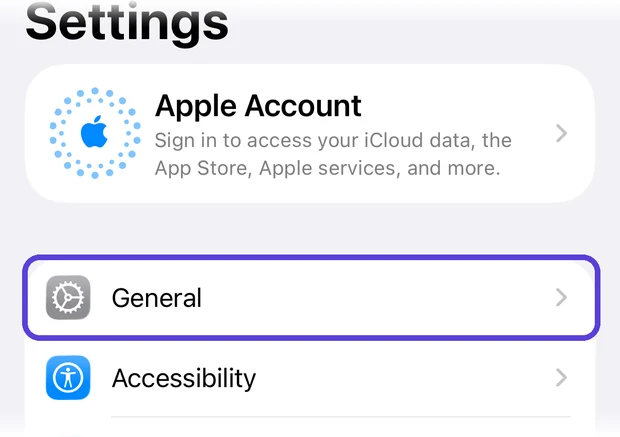
-
2
Tap Keyboard
Scroll down past AutoFill, Dictionary and Fonts. It's the grey keyboard icon.
General › Keyboard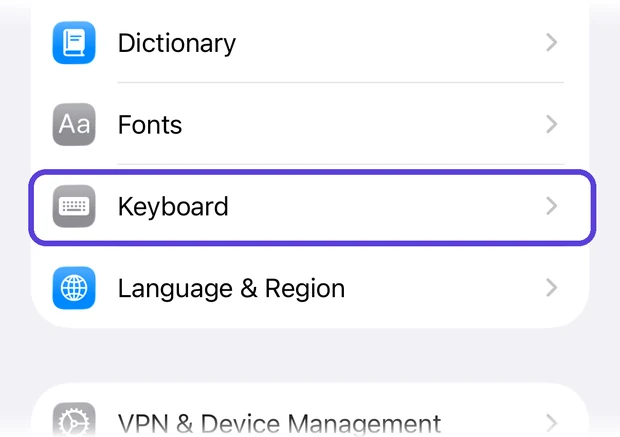
-
3
Tap Keyboards at the top
Yes, there's a Keyboards row inside Keyboard. That's the one — it has a number next to it.
Keyboard › Keyboards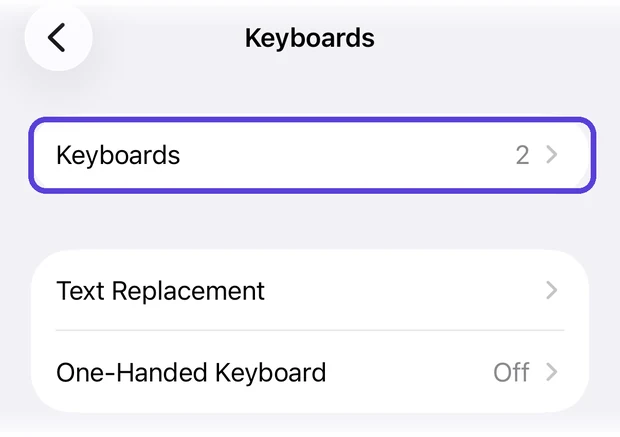
-
4
Tap Add New Keyboard
Above it you'll see what you already have — usually English and Emoji.
Keyboards › Add New Keyboard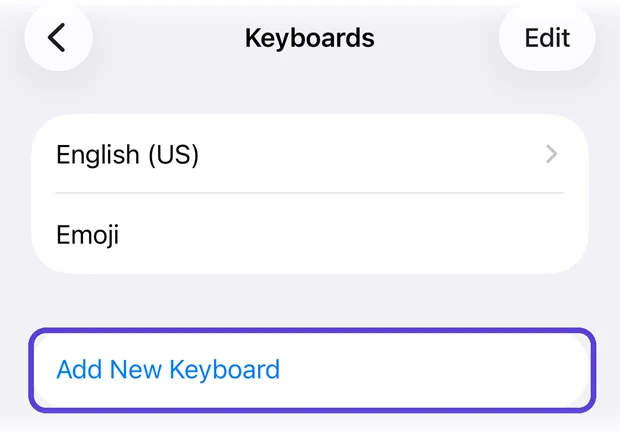
-
5
Pick EQkey
Look under Third-Party Keyboards — not the long alphabetical list of languages below it.
Add New Keyboard › EQkey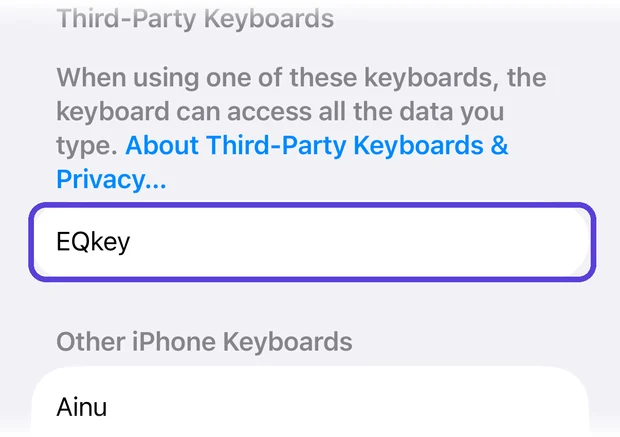
-
6
Tap EQkey once more
It's added now, but it still can't do anything. Tap it in the list to open its own screen — that's where the last switch lives.
Keyboards › EQkey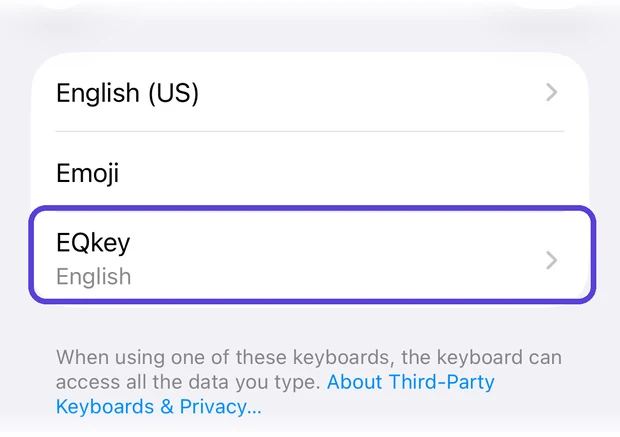
The last tap
Allow Full Access, and the warning beside it.
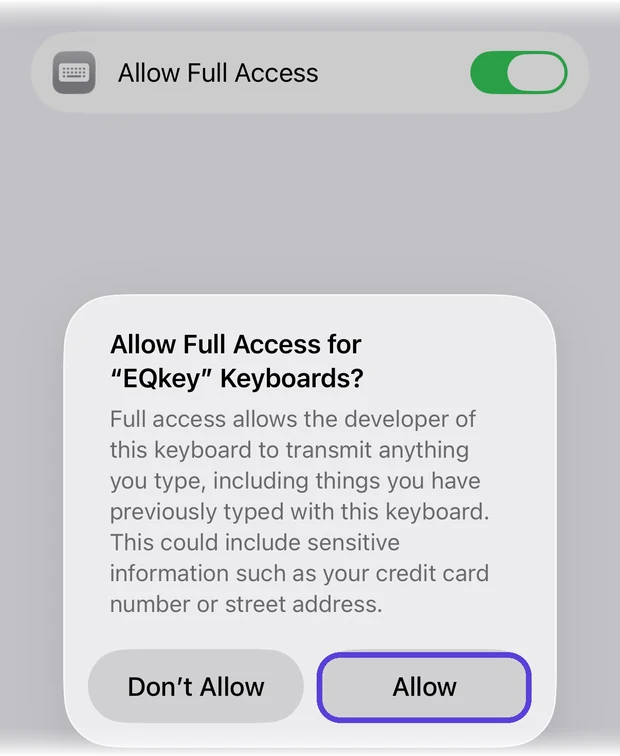
Turn on Allow Full Access. iOS asks you to confirm, in wording designed to make you stop and think:
Full access allows the developer of this keyboard to transmit anything you type, including things you have previously typed with this keyboard.
Apple shows that same sentence for every third-party keyboard, because it's the same permission for all of them. Here's what it does in EQkey:
- Your reply is written on our servers, not on the phone. Without this switch the keyboard can't reach the network at all, and every suggestion comes back empty.
- It's how the keyboard reads the message you copied. That copy step is deliberate — you decide what gets sent, one message at a time.
- Ordinary typing isn't collected. When you're just using the keys, nothing leaves your phone.
What we keep, and for how long, is written down plainly: see the privacy summary or the full privacy policy.
Tap Allow. That's the whole setup.
Part two
Now send something with it.
Open any chat — Messages, WhatsApp, Instagram, it doesn't matter which.
Press and hold the globe key
Tap the message box so the keyboard comes up, then press and hold 🌐 in the bottom-left corner and choose EQkey from the list.
A quick tap just cycles to the next keyboard. Hold it to pick. That's how you move between keyboards from now on.
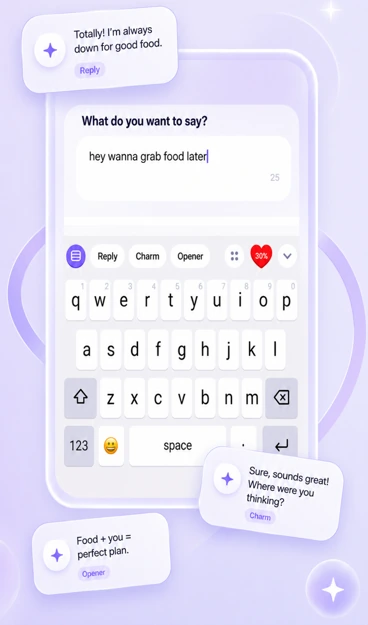
Reply, Charm and Opener sit above the keys
Reply — copy their message first, then tap Reply. You get a few ways to answer; tap the one that sounds like you and it drops straight into the chat.
Opener — for an empty chat. A first message worth answering, instead of "hey".
The keyboard icon on the left takes you back to plain typing, and the heart on the right is your chat intimacy dial.
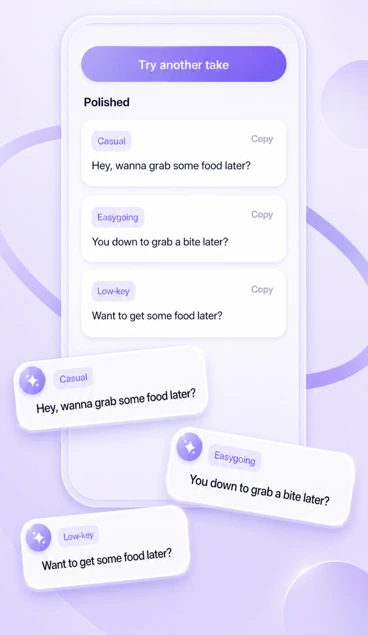
Already typed something? Send it better.
Write your draft the way you normally would, then tap Charm. It comes back rewritten a few different ways in the persona you've picked — take one, or tap for another take.
Useful when you know what you want to say but not how to say it.
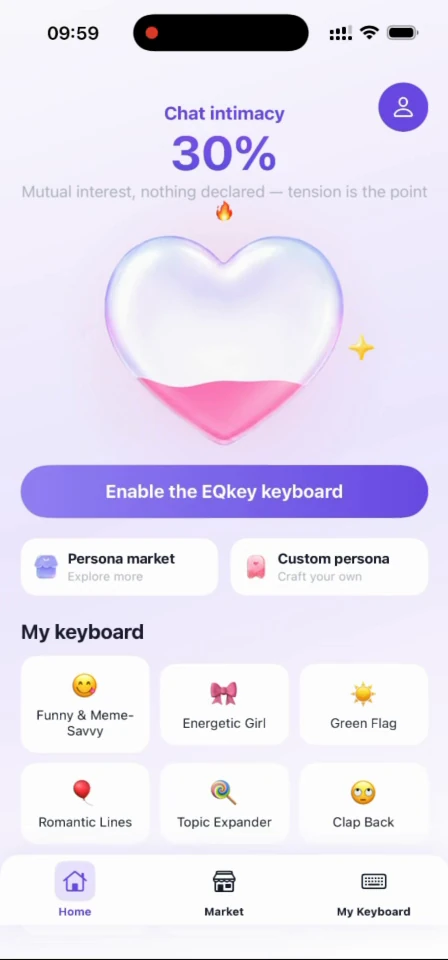
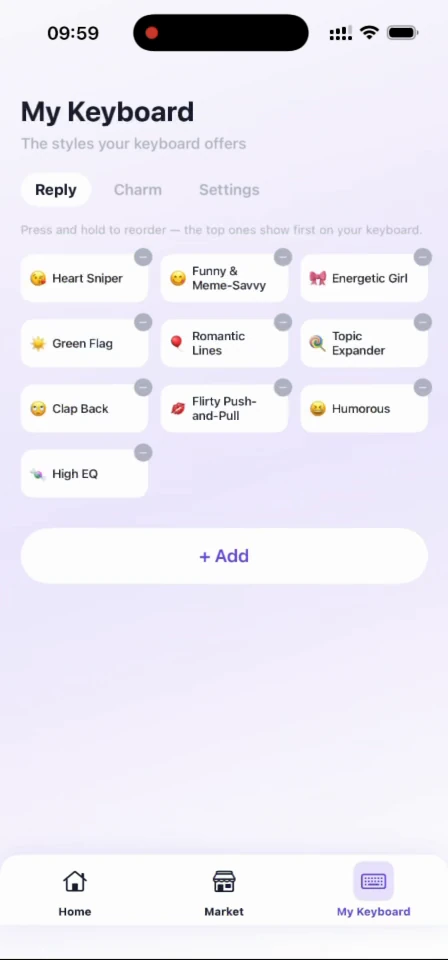
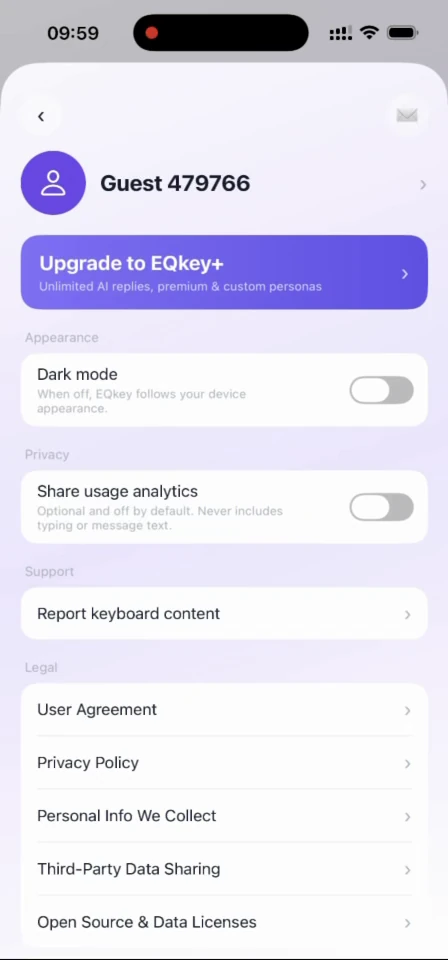
The app itself
Where everything lives.
Four screens. You'll spend most of your time on the first one.

Troubleshooting
If something's off.
EQkey isn't in the Add New Keyboard list
The app has to be installed and opened at least once before iOS will list its keyboard. Open EQkey, let it finish setting up, then go back to Settings and try again.
If it's still missing, restart your iPhone — iOS sometimes doesn't register a new keyboard until it reboots.
I tap Reply and nothing comes back
Nearly always Allow Full Access being off. Go to Settings › General › Keyboard › Keyboards › EQkey and check the switch is green.
If it is, check you copied their message first. Reply answers the message on your clipboard — with nothing copied, there's nothing to answer.
The globe key doesn't show EQkey
Press and hold it rather than tapping. A tap cycles to the next keyboard; holding brings up the full list.
If EQkey isn't in that list, the setup above didn't finish — go back through it.
The replies don't sound like me
Two things steer the tone. The persona you tap decides the voice — swap it mid-conversation whenever the mood turns.
The chat intimacy dial on the Home screen decides how forward it gets. If replies feel too familiar, move it down; too polite, move it up.
I want to turn it off again
Go to Settings › General › Keyboard › Keyboards, tap Edit, and remove EQkey. It disappears from every app straight away.
Removing the keyboard doesn't delete your account. For that, use the link on the privacy policy page.
Something else
Write to us and say what you were doing when it went wrong — that's usually enough to find it. The contact page has the right address for each kind of question.